

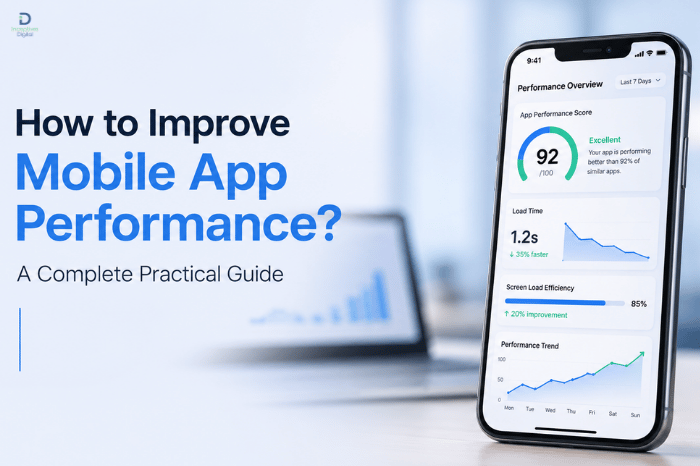
Mobile app performance plays a major role in how users perceive your product. Even a well-designed app can fail if it loads slowly, crashes often, or drains battery too quickly. Users today expect fast, smooth, and responsive experiences. If an app doesn’t meet those expectations, they uninstall it within seconds.
That’s why companies working with a mobile app development company in USA often prioritize performance optimization right from the planning stage rather than treating it as an afterthought.
In this guide, we’ll break down how to improve mobile app performance using practical strategies, real-world insights, and technical best practices that actually work.
Why Mobile App Performance Matters
Before optimizing anything, it’s important to understand why performance is so critical.
Key reasons include:
- Faster apps improve user retention
- Smooth performance increases engagement
- Slow apps lead to higher uninstall rates
- App store rankings are influenced by performance
- Better performance improves conversions
Even a delay of a few seconds can significantly impact user behavior.
Common Mobile App Performance Problems
Most apps struggle with similar issues:
- Slow loading screens
- Excessive battery usage
- Laggy animations
- Frequent crashes
- High memory consumption
- Poor network handling
Identifying these problems early helps in building a stable and scalable application.
1. Optimize App Code
Clean and efficient code is the foundation of good performance.
Best practices include:
- Remove unused code
- Avoid redundant loops
- Use efficient algorithms
- Reduce heavy computations on the main thread
Poorly written code is one of the biggest reasons for slow apps.
2. Reduce App Startup Time
Users expect apps to open instantly.
Ways to improve startup speed:
- Minimize initial data loading
- Delay non-essential processes
- Use lazy loading techniques
- Optimize splash screen duration
A fast startup creates a strong first impression.
3. Optimize Images and Media Files
Large media files are a common performance bottleneck.
Solutions:
- Compress images without losing quality
- Use modern formats like WebP
- Load images asynchronously
- Implement caching
Apps like Instagram heavily rely on optimized media delivery to maintain smooth scrolling and fast loading.
4. Use Efficient Backend Architecture
Backend performance directly affects the mobile experience.
Key improvements include:
- scalable cloud infrastructure
- optimized database queries
- proper API structuring
- caching frequently used data
A poorly optimized backend can slow down even the best mobile app.
5. Minimize Network Requests
Every API call takes time and resources.
Best practices:
- Combine multiple API calls
- Reduce unnecessary data fetching
- Use pagination for large datasets
- Implement offline support
Fewer requests lead to faster response times.
6. Improve UI Rendering Performance
Smooth UI is essential for user satisfaction.
Optimization techniques:
- Reduce complex layouts
- Avoid deep UI hierarchies
- Use hardware acceleration
- Optimize animations
Apps like TikTok maintain smooth scrolling experiences by heavily optimizing UI rendering.
7. Use Caching Effectively
Caching reduces repeated loading of data.
Types of caching:
- Memory caching
- Disk caching
- Network caching
Caching helps improve speed and reduces server load.
8. Optimize Memory Usage
High memory usage leads to crashes and slow performance.
How to fix it:
- Release unused resources
- Avoid memory leaks
- Optimize background processes
- Reuse objects when possible
Efficient memory management improves stability.
9. Reduce Battery Consumption
Battery efficiency is an important part of performance.
Common fixes:
- Reduce background activity
- Optimize GPS usage
- Limit constant network calls
- Avoid unnecessary animations
Apps that drain battery quickly often get poor reviews.
10. Use Lightweight Frameworks and Libraries
Not all libraries are optimized for performance.
Best practices:
- Avoid heavy dependencies
- Use only the necessary libraries
- Prefer optimized SDKs
- Keep app size minimal
Framework choice also plays a major role in efficiency.
11. Monitor App Performance Continuously
Performance optimization is not a one-time task.
Tools used include:
- Crash reporting tools
- Performance analytics
- Real-time monitoring systems
Apps like Firebase help developers track performance issues in real time.
12. Optimize Database Performance
Database inefficiency can slow down the entire app.
Improvements include:
- Indexing frequently used fields
- Removing duplicate data
- Optimizing queries
- Using NoSQL where needed
Efficient data handling improves overall speed.
13. Improve App Size
Large apps take longer to download and install.
How to reduce size:
- Compress assets
- Remove unused resources
- Modularize code
- Use dynamic feature delivery
Smaller apps often see higher installation rates.
14. Use Asynchronous Processing
Blocking the main thread is one of the biggest performance mistakes.
Solution:
- Move heavy tasks to background threads
- Use async/await patterns
- Implement task queues
This keeps the UI responsive at all times.
15. Test Performance Under Load
Testing helps identify hidden issues.
Types of testing:
- Stress testing
- Load testing
- Real-device testing
- Network simulation
Testing ensures the app performs well under real-world conditions.
How Development Cost Relates to Performance
Many businesses overlook performance during budgeting. However, better optimization often increases development effort.
This is why understanding mobile app development costs early helps businesses allocate resources properly for performance improvements.
Cutting corners during development often leads to expensive fixes later.
Real-World Example of Performance Optimization
Popular apps like Uber rely heavily on performance optimization to deliver real-time tracking, fast booking, and seamless navigation.
Even small delays in such apps can affect user trust, which shows how critical performance truly is.
Best Practices Summary
To improve mobile app performance effectively, focus on:
- Clean and optimized code
- Efficient backend systems
- Reduced network requests
- Proper caching strategies
- Lightweight UI design
- Continuous monitoring
- Smart memory management
Final Thoughts
Improving mobile app performance is not just a technical task; it directly impacts user experience, retention, and business success. A fast and responsive app builds trust, while a slow app can damage even the best ideas.
By focusing on optimization from the early stages and continuously improving performance after launch, businesses can ensure long-term success in a competitive mobile market.